Meet Keymapp Deck, A Stream Deck Plugin for ZSA Keyboards
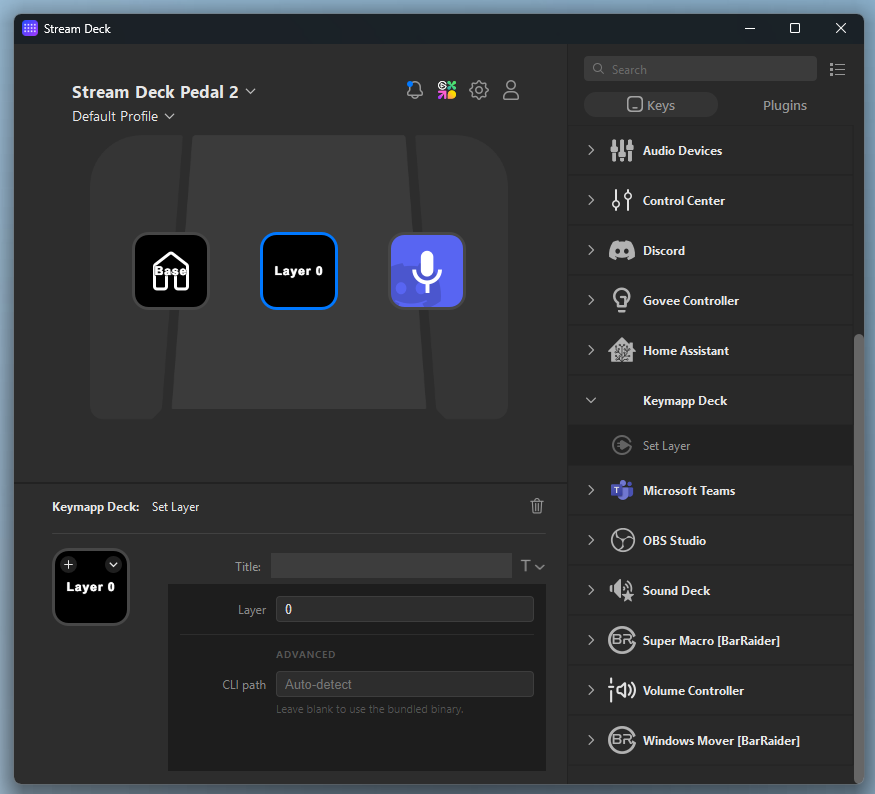
I’ve built a bunch of custom layers for different games and apps on my Moonlander keyboard, but switching between them manually was a bit convoluted. Smart layers are great for most things, but not everything.
So I built Keymapp Deck and I’ve released it for free on GitHub.
(P.S. It might be buggy, but it is working on all my machines. Feel free to submit a pull request with any fixes.)
It’s a tiny tool that lets you control your ZSA keyboard (ErgoDox EZ, Moonlander, Voyager, etc.) layers directly from an Elgato Stream Deck.
I’d never explored the zsa API or created a Stream Deck plugin before. But with Claude Opus 4.6, I had a working, shippable app for both macOS and Windows in about thirty minutes.
I do recommend trying smart layers first. But if they’re not extensible enough, you’re running more than five layers, or you want multiple layers for a single app that smart layers can’t handle, give Keymapp Deck a shot.
